
DU Mining Units Monitoring#
A mining units monitoring script
Edit the code#
Discord Server#
You can join me on Discord for help or suggestions or requests by following that link : https://discord.gg/qkdjyqDZQZ
Installation#
required elements#
- screen : 1 (you can add several il you want to display it in several places)
- programming bard : 1
Links#
Connect at least one screen to the programming board Connect mining units to the board
You don't have to touch slots name or anything, the script will detect all elements automatically.
installing the script#
Copy the content of the file config.json then right clik on the board, chose advanced and click on "Paste Lua configuraton from clipboard"
informations#
Mining units will be displayed in the order they are linked to the board
Colors#
-
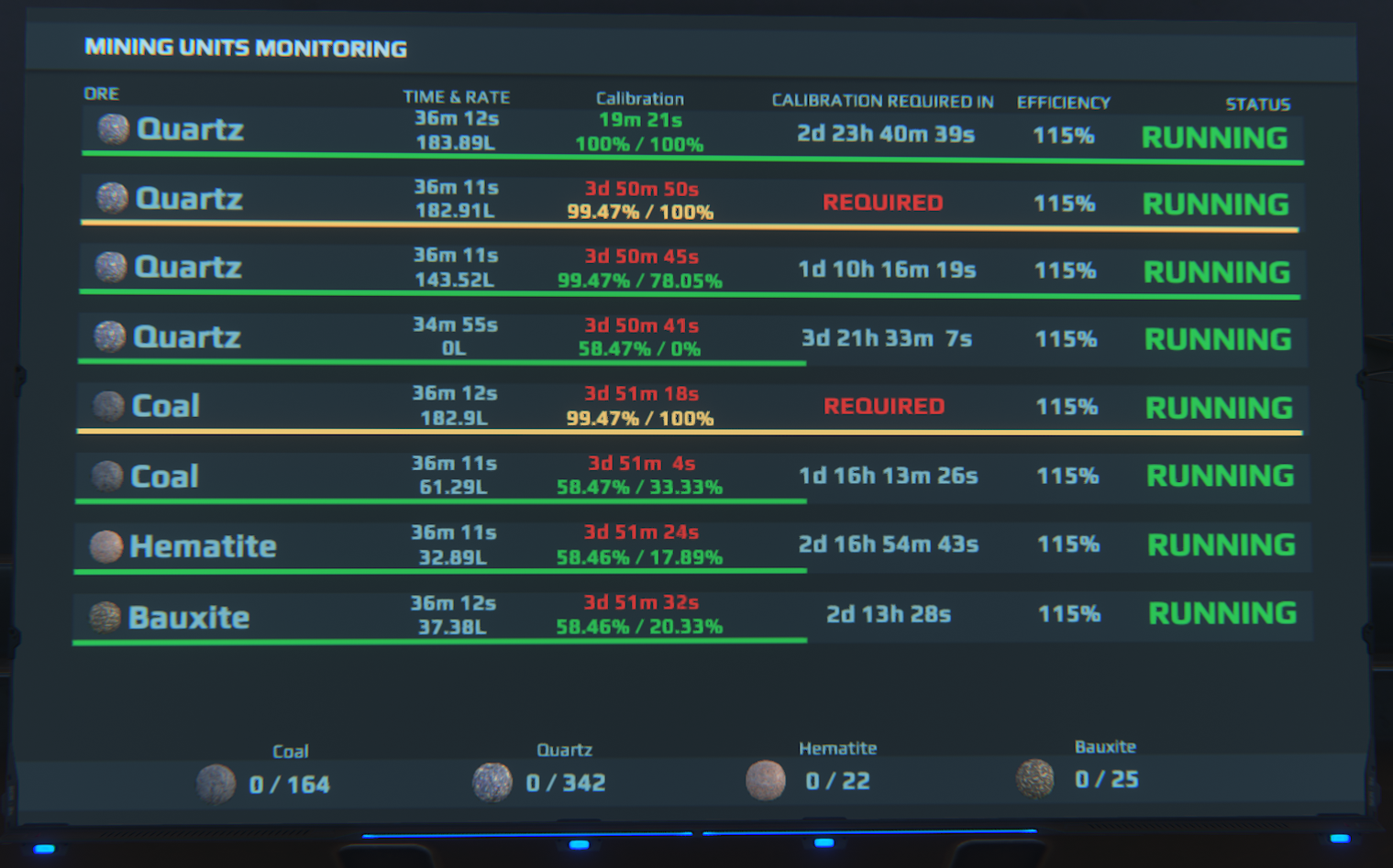
Time from last calibration: by default, it's red if higher than 3 days to show that the calibration percent start decreasing and yellow after 24h to show you calibration is possible, you can customize these values from LUA parameters
-
Gauge and calibration percent: it's green till the calibration is equal or higher than the optimal calibration. When it's lower from optimal, the color is a gradient from yellow to red, more it will be far from the optimal, more it will trend to red
-
Time before calibration is required: display in yellow when lower than 24h and in red when lower than 12h
Options#
By rightclicking on the board, advanced, edit lua parameters, you can customize these options:
fontSize: the size of the text for each line on the screencalibrationSecondsRedLevel: The time in seconds from last calibration above the time will be displayed in red. Default to 259200 (3 days / 72h)calibrationSecondsYellowLevel: The time in seconds from last calibration above the time will be displayed in yellow. Default to 86400 (1 day / 24h)calibrationGracePeriodHours: MyDU only: The number of hours before the calibration start to lower (server setting)calibrationCooldownHour: MyDU only: the number of hours between two calibration are possible (server setting)