Display Jujutsu's jj file annotate (like git blame) in an interactive buffer. Works in any JJ repo, even in workspaces!
| Dark | Light |
|---|---|
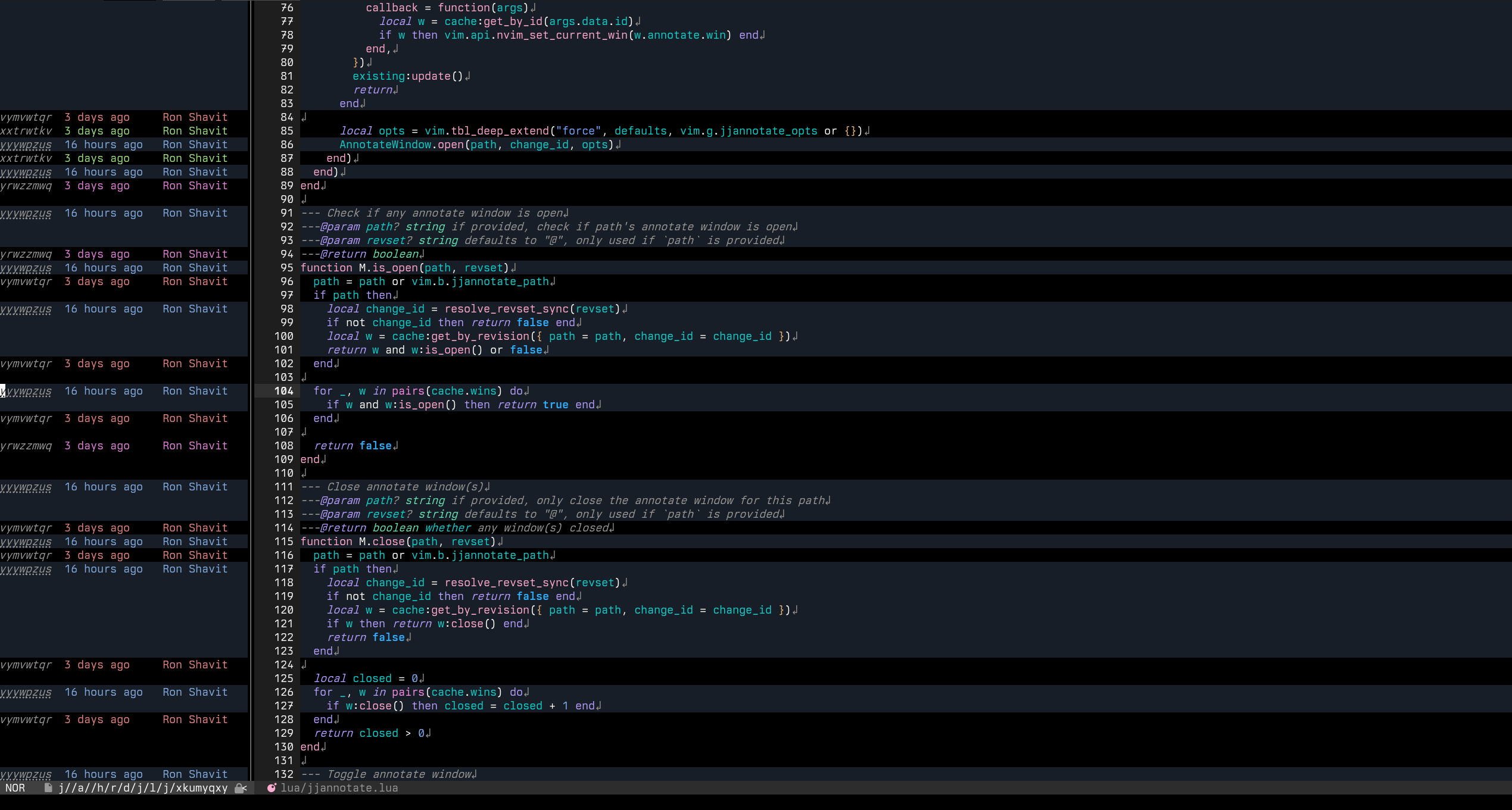 |
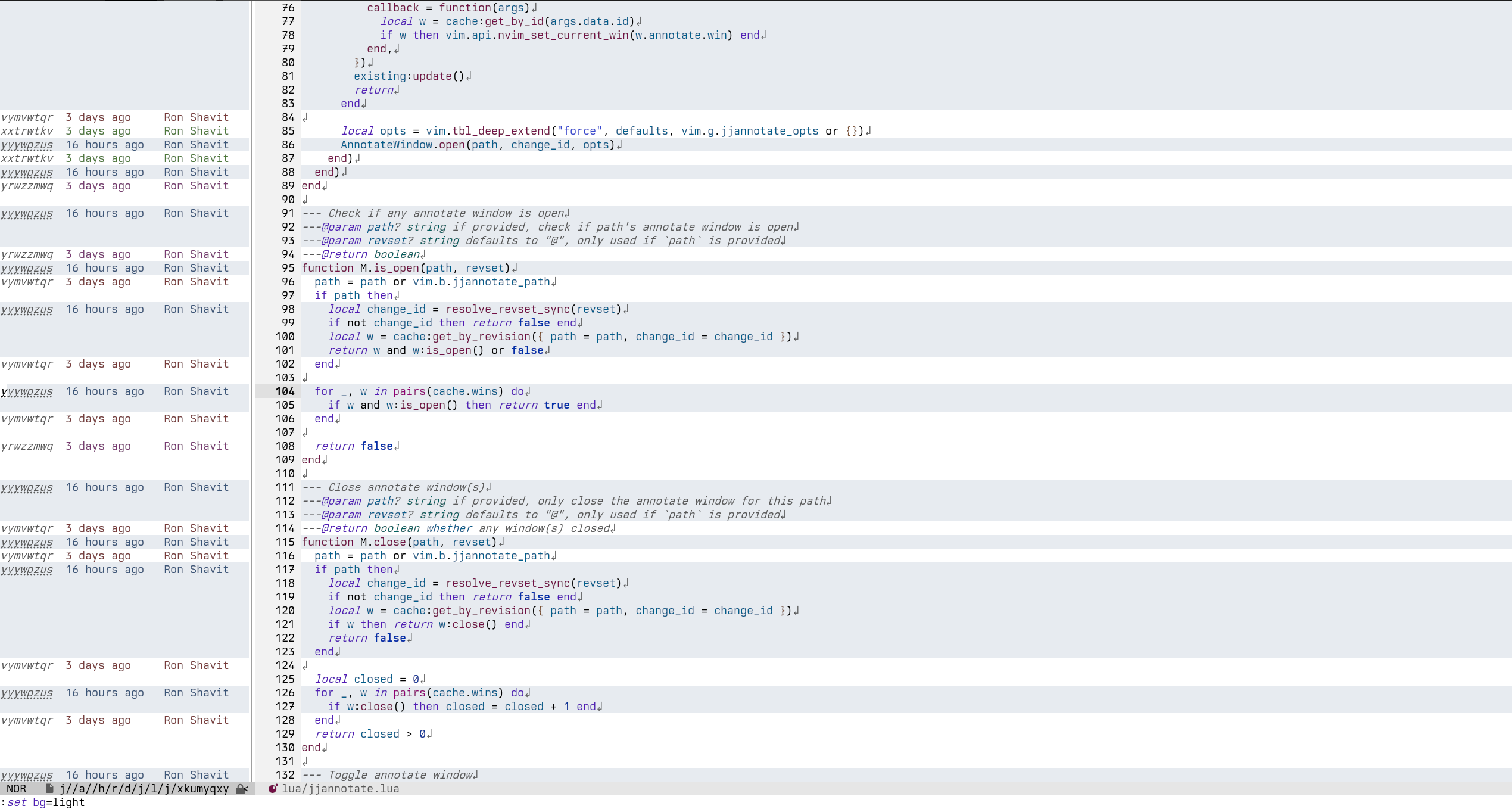 |
Installation#
Requires Nvim 0.12+.
vim.pack.add({
  "https://tangled.org/ronshavit.com/jjannotate.nvim",
})
Usage#
require("jjannotate").open()
require("jjannotate").toggle()
Options#
-- config is absolutely optional, no `.setup()` needed
vim.g.jjannotate_opts = {
  view = {
    -- whether to collapse repeating lines into a single line
    collapse_repeating_lines = true,
    -- whether to highlight all lines changed by cursor's change id
    highlight_changed_lines = true,
    -- how to highlight lines related to current change
    -- * "none": no highlighting
    -- * "bold": bold text
    highlight_current_change = "bold",
    -- color palette for annotate highlights
    -- "auto": pick dark/light palette based on vim.o.background (live-updates on ColorScheme/OptionSet)
    -- { auto = true, multiplier = { sat = 1.0, light = 1.0 } }: same as "auto", but with a color multiplier
    -- or pass a `jjannotate.Config.ResolvedPalette` to set colors directly
    palette = "auto",
  },
  -- disable any mapping by setting it to `false`
  mappings = {
    -- close the annotate window
    close = "q",
    -- show revision under the cursor in a new tab
    show = "<CR>",
    -- follow revision under the cursor and re-run annotate in a new tab
    follow = "f",
  },
}
Autocmds#
Customize the buffer with the FileType autocmd. For example, to enable listchars:
vim.api.nvim_create_autocmd("FileType", {
  pattern = "jjannotate",
  desc = "Enable listchars for jjannotate",
  callback = vim.schedule_wrap(function() vim.opt_local.list = true end),
})
There are also some user autocmds:
There are also some User autocmds. For those that are triggered for a specific
window, :<win_id> is appended and can be matched on. If you don't want to match on
a specific window, use :* instead.
JjAnnotateOpen:<win_id>is triggered when the annotate buffer is opened.JjAnnotateUpdate:<win_id>is triggered when the annotate buffer is updated.
For autocmds that are triggered for a specific window, args.data.id is the AnnotateWindow's id.
Given a win_id, you can retrieve its AnnotateWindow object:
vim.api.nvim_create_autocmd("User", {
  pattern = "JjAnnotateUpdate:*",
  callback = function(args)
    local w = require("jjannotate").get_by_id(args.data.id)
    if w then print("Annotate window " .. w.id .. " updated!") end
  end,
})
Inspirations#
I used blame.nvim before creating this plugin, but needed something specifically for JJ.